
Skip to content

Field notes, maps and client reports in PropelMapper

You walk Creek Bottom with PropelMapper open, notice yellow lower leaves and record what you see.

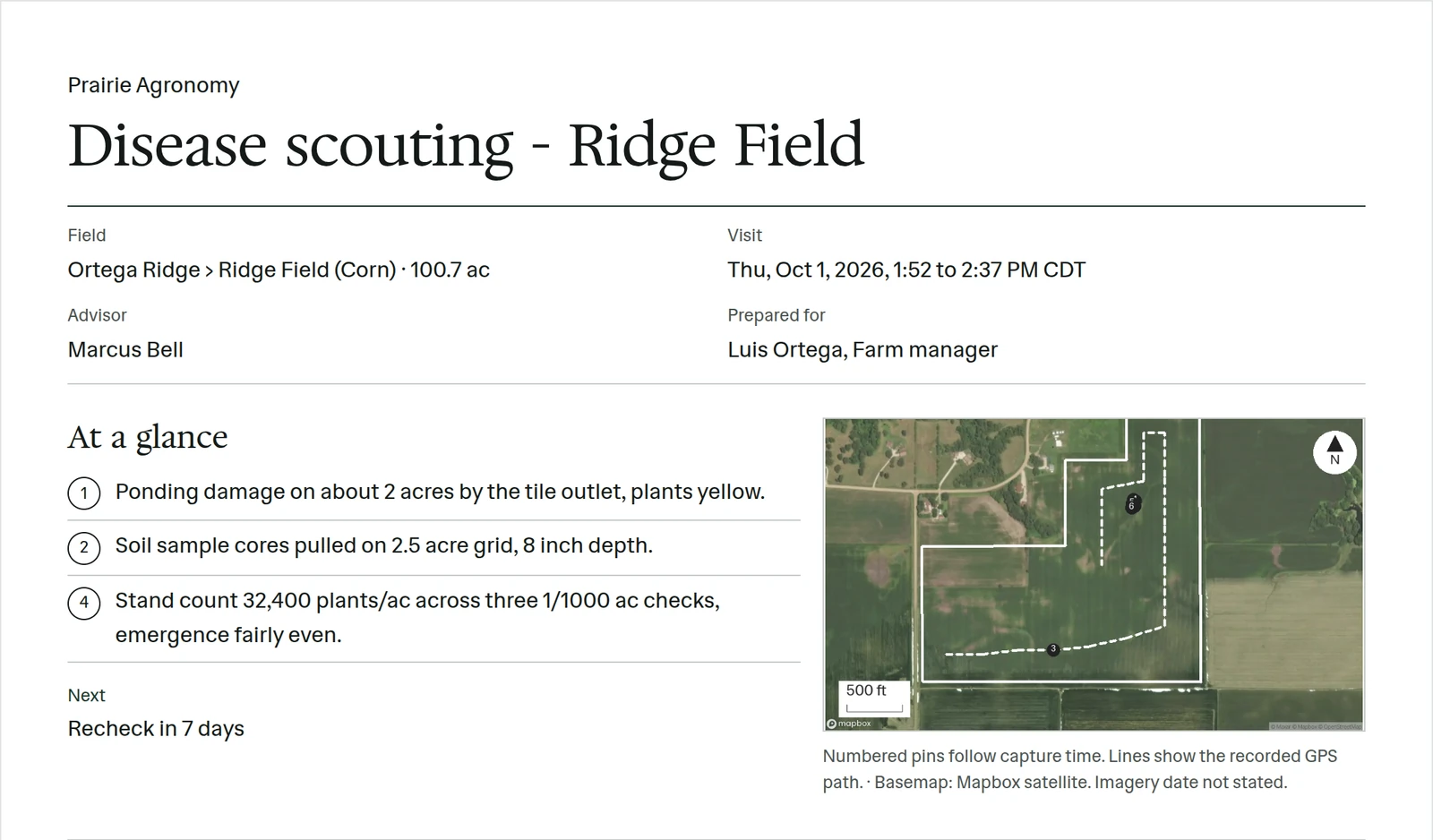
A signed disease scouting visit at Ridge Field: visit details, the steps from capture to sign and send, and the visit metrics, each with its source
Example account: Prairie Agronomy.

Voice note

Example: a field note becomes a report passage

At Creek Bottom, the advisor describes the leaves, crop stage and stand count. After the note uploads, we put those observations into the visit form and report. The advisor checks the wording and adds advice before the grower receives it.

Voice note 2 · Creek Bottom (Corn)1:53 PM · Oct 11

“Some gray leaf spot near the waterway. Stand count looks good, at about 32,000. Corn is at R5. Lower leaves are yellowing on the east edge.”

Sarah Lindqvist · Prairie Agronomy

The note read aloud, with its transcript.

Visit formFrom the visit note
  • Disease Gray leaf spotnear the waterway
  • Stand count 32,000plants / acre
  • Growth stage R5
  • Leaves Lower leaves yellowingeast edge

Prairie Agronomy

Pre-harvest walk - Creek Bottom

Jorgensen Family Farms › Creek Bottom (Corn)
Visit 1:53 PM · Oct 11 Advisor Sarah Lindqvist Version 1 · English
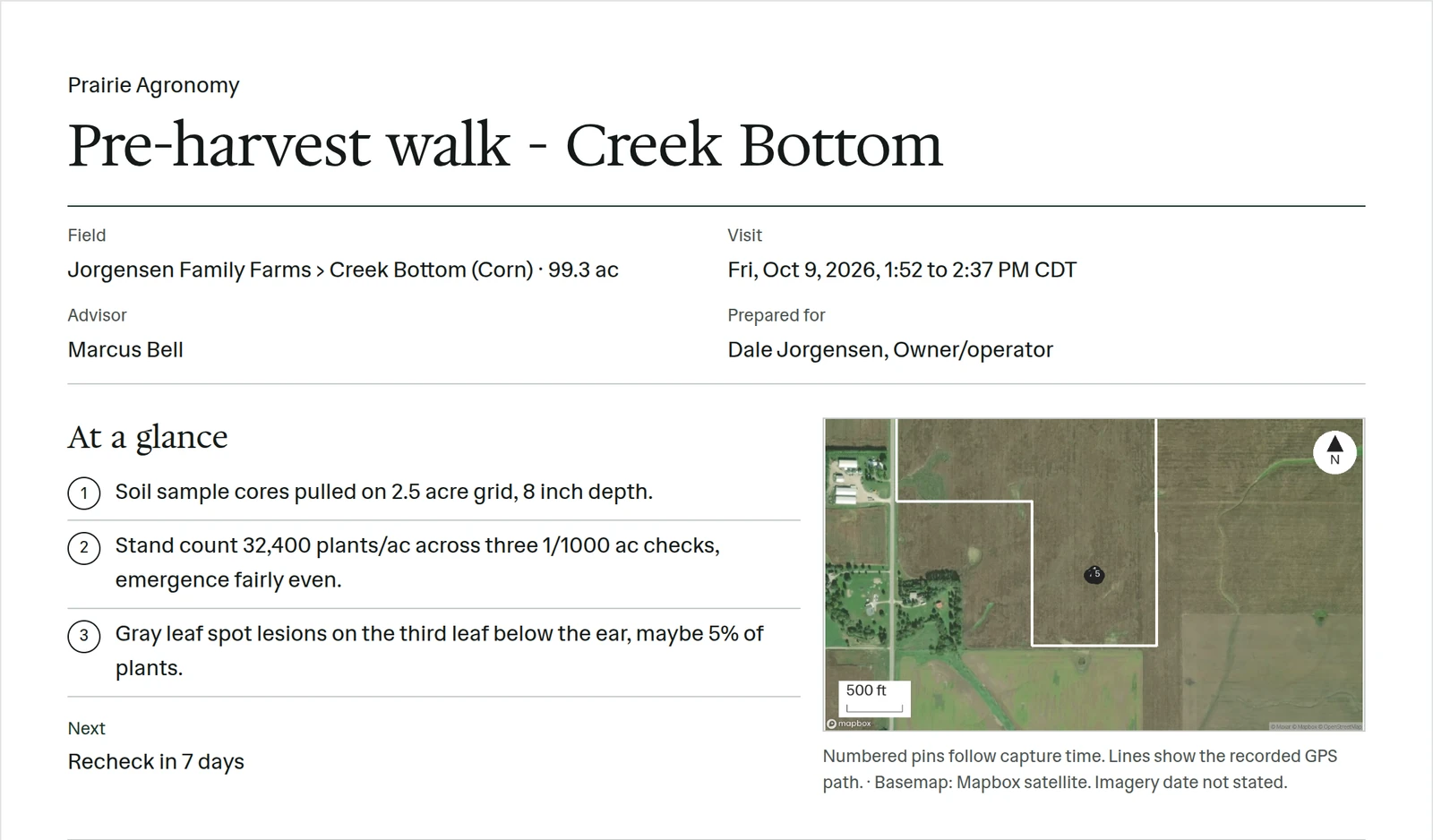
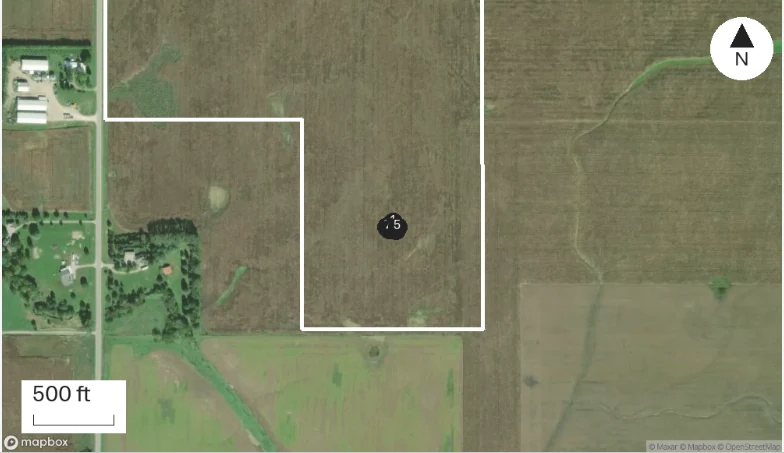
Creek Bottom: numbered captures and the recorded field boundary.
Numbered pins: visit captures · Basemap: Mapbox satellite. Imagery date not stated.

At a glance

  1. Creek Bottom (Corn): Gray leaf spot observed near the waterway.

  2. Creek Bottom (Corn): Stand count approximately 32,000 plants per acre, noted as good.

  3. Creek Bottom (Corn): Corn at R5 growth stage.

  4. Creek Bottom (Corn): Lower leaf yellowing observed on the east edge.

Readings

Readings: Pre-harvest walk - Creek Bottom
ReadingThis visit
Stand countplants / acre32,000
Growth stageR5

Sources

  • Voice note 2 · Oct 11, 2026 · Sarah Lindqvist

Voice note 2 · Creek Bottom (Corn), 1:53 PM · Oct 11: “Some gray leaf spot near the waterway. Stand count looks good, at about 32,000. Corn is at R5. Lower leaves are yellowing on the east edge.” The visit form gets Disease Gray leaf spot, Stand count 32,000, Growth stage R5, Leaves Lower leaves yellowing, and the report lists them under Pre-harvest walk - Creek Bottom.

Example voice note and reviewed report

Field layers

The field under each layer

The same field outline stays in view as you change layers. A dated satellite image or soil survey can suggest a place to inspect; the walk supplies the observation.

Choose a layer
Visit heat on example fields. A density view of where this team recorded observations during visits.

Visit heatYour team’s recorded visits

A density view of where this team recorded observations during visits.

Map views from PropelMapper · example fields. Captured views. Use the layer buttons to change the view.

Crop history

What the crop maps show each year

The crop map shows USDA classifications for each available year. You can take a rotation question to the grower and compare the map with their planting records.

2025

© Mapbox · © OpenStreetMap

Crop by year for each field, from the USDA Cropland Data Layer
Field1819202122232425
East Quartercorncorncorncorncorncorncorncorn
Hilltopcorncorncornsoybeanscornsoybeanscorncorn
Timber Edgecorncorncorncorncorncorncorncorn
Section 30corncornsoybeanscorncornsoybeanscorncorn
Schoolhousecorncornsoybeanscorncornsoybeanscorncorn
Railroadcorncornsoybeanscorncornsoybeanscorncorn
Creek Bottomcorncornsoybeanscorncornsoybeanscorncorn
Home Placecornsoybeanscornsoybeanscorncornsoybeanscorn
Example records · Corn SoybeansInside field boundaries · USDA NASS Cropland Data Layer · USDA NASS CDL 2025Jorgensen Family Farms, crop by year: 2018: corn on 8 of 8 fields; 2019: corn on 7 of 8 fields; 2020: corn on 4 of 8 fields; 2021: corn on 6 of 8 fields; 2022: corn on 8 of 8 fields; 2023: corn on 3 of 8 fields; 2024: corn on 7 of 8 fields; 2025: corn on 8 of 8 fields.
Crop history inside the field boundaries

Client report

The report a client receives

Propel drafts the report from the visit. You read it beside the recordings, sign the version you read, and send it straight to the client.

  1. Propel writes the draft from the visit. You read it beside the recordings and photos it came from and fix anything it got wrong.

  2. Your signature goes on the version you read. Any later edit makes a new version instead of changing the signed one.

  3. The client gets the report by email as PDF and Word, with a link to confirm they received it. The activity log records the send and the confirmation.

A draft Crop scouting report for Creek Bottom awaiting signature, with its status, send panel and At a glance
The signed Ridge Field report in the web app, with its status and activity
Sending the signed report to the client contact from the web app

Earlier visits

Earlier visit notes before the next call

When a grower asks about an earlier visit, Ask Propel can help you find the note and open its source. The illustrated exchange below uses our sample visit notes. You can open the earlier visit to check the observation before discussing it with the grower.

Ask Propel

What did Sarah see at Creek Bottom on the last visit?

The October 11 visit notes describe lower-leaf yellowing on the east edge and gray leaf spot near the waterway. Open the original visit to check the observations and photos.

From Creek Bottom · October 11 visit

See the Ask Propel examples

Work with your own field notes

The calculators show the arithmetic behind a field estimate. The blank report forms give you space for the observations, photos and advice you will send after the visit.

Field calculators · Report templates

A report from your own field visit

You can try a familiar field in your 45 free days and read the report made from your notes. We can also work through your existing report format on a setup call.