
Your field notes become the client’s report
You talk through the visit and take photos, PropelMapper drafts the client report, and you check it, add your advice and sign it before it goes out.

Used by field teams at




What a visit looks like
The day starts on Today, with your scheduled visits in driving order and the tasks still open from last time. On the way, a short audio briefing gets you prepped on the place. At the farm, you talk and take photos. Anything you promise becomes a task, and tomorrow it is back on Today.
You arrive at the farm with a grower’s question to answer. As you walk, you take photos and talk into your phone about what you find. A wet corner, a soil sample and the conversation at the gate each stay with the place where you made the note.
Your notes, photos and locations save on the phone without service. When you are connected and they upload, PropelMapper transcribes what you said and puts it into the first version of your report. Use the mobile app for iOS and Android in the field, then carry on in the web app when you get back.
You read the report with the original recordings and photos open next to it. You fix anything we misunderstood, add your recommendation and decide what the client needs to see. The report follows your team’s format and uses your letterhead.
You sign it and send PDF and Word copies to the client, who reads them without a PropelMapper account and confirms with one link that the report arrived. The report stays with that farm’s earlier visits, so you or a colleague can come back to the photos and advice before the next walk.
Soil sampling: what you said and what the report says
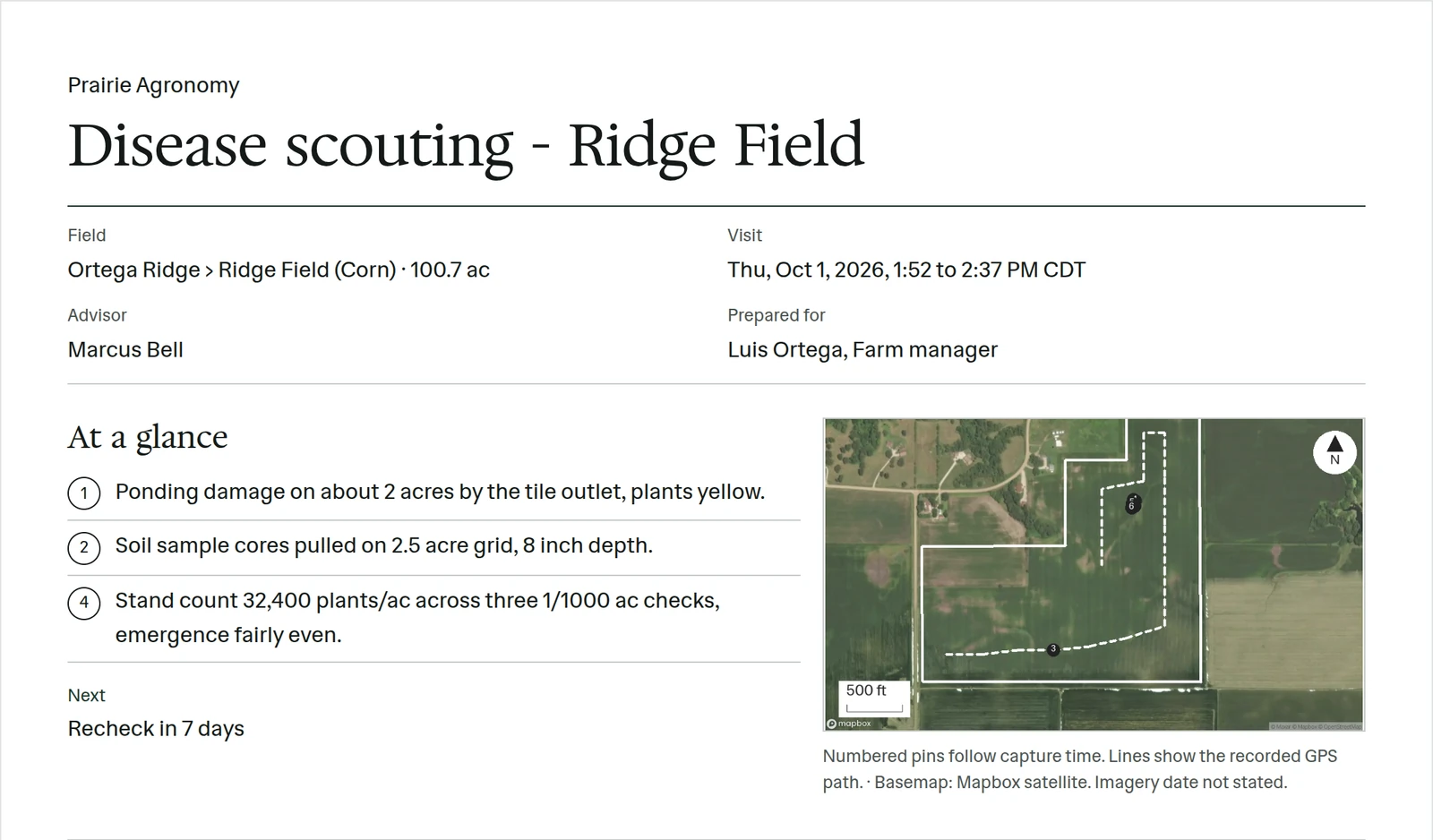
“Soil cores pulled on a two-and-a-half-acre grid, eight inches deep. I’ve marked the sampling locations. The lab results aren’t back yet, so I’ll add the recommendation after I’ve read them.”
Prairie Agronomy
Soil sampling
At a glance
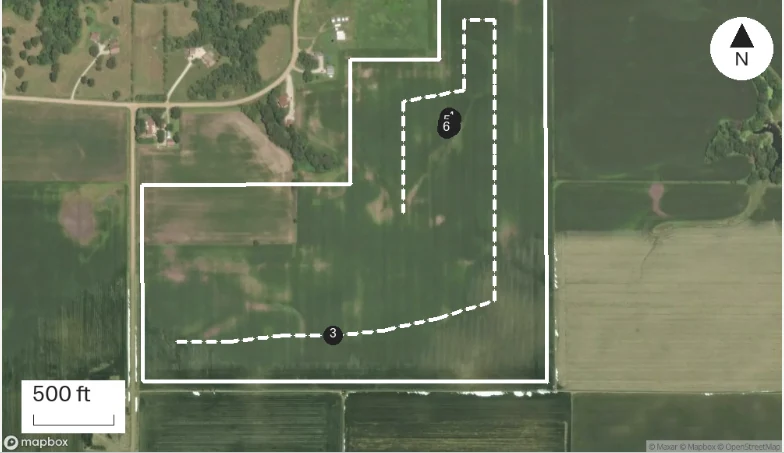
Soil cores were collected on a 2.5-acre grid at a depth of 8 inches. Sampling locations were marked during the visit.
Lab results are pending. The recommendation will be added after the advisor has reviewed them.
Observations
Soil cores were collected on a 2.5-acre grid at a depth of 8 inches. Sampling locations were marked during the visit.
Lab results are pending. The recommendation will be added after the advisor has reviewed them.
After your review
Example account: Prairie Agronomy
What makes field notes useful to someone else
A field report starts with a specific question. The grower may want to understand a weak patch in the crop. A farm owner may want the location and condition of a damaged crossing. Record the question as well as the finding. It gives the later report a purpose and helps a colleague understand why you visited that place.
At each stop, describe what you can see and the ground or group it represents. A photograph of one wet corner is useful evidence about that corner. If you inspected other parts of the field, record those separately. Include the method and units with a measured count, and identify information supplied by the grower as part of the conversation.
Locations and field boundaries give the work a place. Names give it meaning to the people who know the farm. Check the selected field when several places share a gate, and use a description that the recipient will recognize. The map, photograph and written finding should tell the same story about where you stopped.
The original material matters after the visit. A spoken correction, a photo of the sample label or an earlier report can settle a question while you review the draft. We keep that visit material available so you can check the account instead of trying to reconstruct the day from memory.
A report that explains the finding and the next step
The client needs more than a collection of observations. Explain what the finding means, what you recommend and what still needs an answer. On this visit, soil samples were collected and the results are pending. The report can state the collection details and promised conversation without supplying a recommendation before the advisor has reviewed the results.
We prepare the first version from the uploaded notes. You check names, counts and units, add the interpretation and choose the photographs that support it. Your team’s report format and logo make the document familiar to the client, while your review makes the explanation yours.
The same record supports the next visit. A colleague can read the earlier report, open the source observations and see the follow-up work before covering the farm. Free calculators and blank templates can help prepare a sample calculation or inspection record. Their results belong beside the sample and assumptions when you include them in a report.
The team lead’s view
Team leads work from the same records in the web app. Every draft waiting for a signature sits in Ready to sign, with the advisor’s recording and photos beside it. A lead can check and sign any of them, or leave signing to the advisors they trust. Insights counts visits by week and place and measures the time from visit end to signed report, and scheduled reports send those numbers on the schedule you set. A follow-up said in the field becomes a task with an assignee, and the lead can see it on the place without taking it over.
The relationship around the report
Every visit and report lands on the contact and the account. Connect Gmail or Outlook and client mail is read, never sent, and matched to the contact every 15 minutes. Build a board for anything you track, from a sales pipeline to a product trial. For some teams PropelMapper is the CRM.
Who it’s for
We built PropelMapper for agronomists, crop consultants, farm managers and land managers who visit farms and send clients reports, and the team leads who run them. The same work happens on a herd visit, a pest-control round or a property inspection: someone walks the place, photographs what they find and owes someone a written explanation.